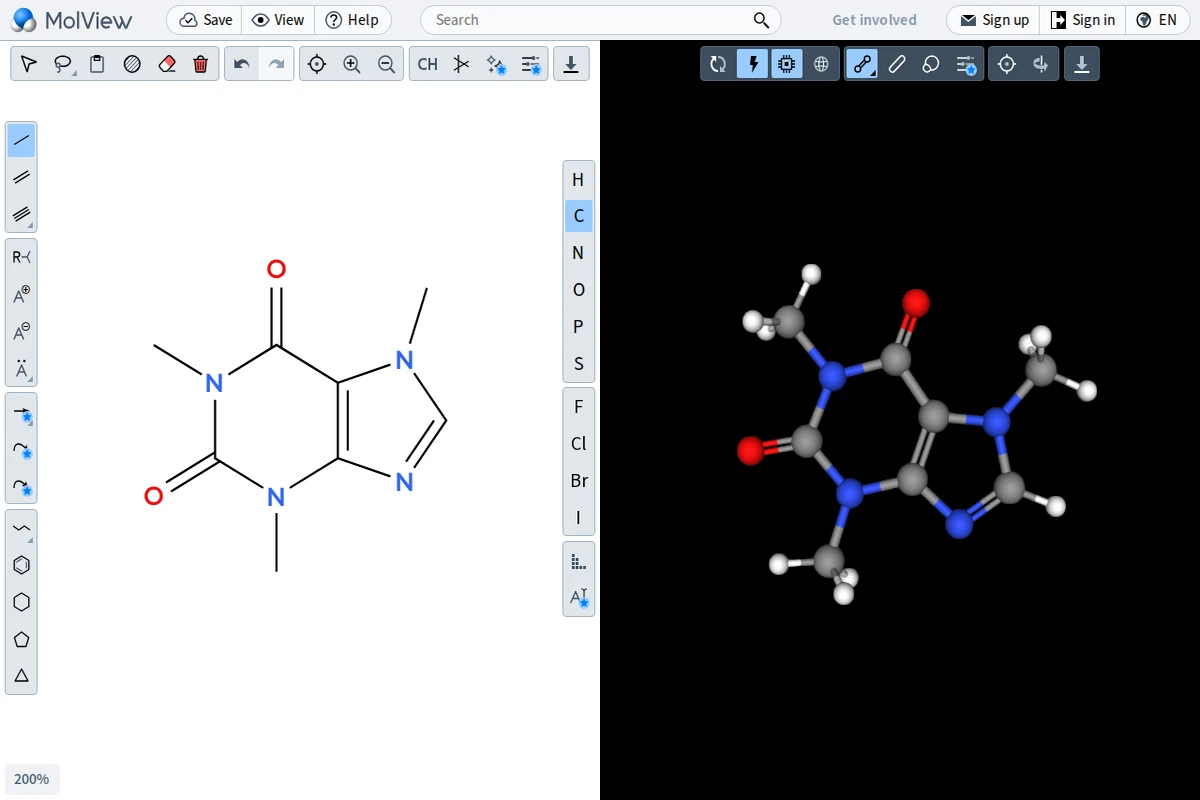
MolView occupies a rare sweet spot: it’s simple enough for a high school student exploring caffeine’s structure for the first time, yet capable enough to satisfy a researcher who needs a quick 3D conformation check. The interface is split cleanly down the middle — a 2D structural editor on the left and a live, rotatable 3D model on the right. Every change you sketch instantly propagates into the three-dimensional view, making the relationship between flat chemical notation and spatial molecular geometry viscerally tangible.\n\nThe 2D editor offers all the building blocks a chemist could want — single, double, and triple bonds, a full suite of ring templates from benzene to cyclopentane, and a periodic table sidebar covering the most common elements (H, C, N, O, P, S, F, Cl, Br, I). The 3D viewport renders molecules using a clean ball-and-stick model against a stark black background, with color-coded atoms following standard CPK conventions. Multiple rendering modes are available, including wireframe and space-filling styles, and the model can be exported for further use.\n\nWhat sets MolView apart from heavyweight desktop applications like Avogadro or ChemDraw is its radical accessibility. There’s nothing to install, no license to purchase, and the tool works across devices. It supports searching by compound name or CAS number, pulling in known structures from public chemical databases — so typing “aspirin” or “dopamine” immediately gives you a publication-ready diagram. This makes it an exceptional teaching tool as much as a practical one.\n\nFor anyone curious about the molecular world — educators, students, science communicators, or simply the chemically curious — MolView offers a genuinely delightful entry point. It turns abstract structural formulas into something you can grab and rotate, collapsing the distance between a textbook page and a molecule’s true three-dimensional soul.\n\n🔗 app.molview.com
MolView – Interactive Molecule Visualizer